Networking
Networking attendees actually use
Organisers keep saying the same thing: attendees skip networking apps because they don’t want yet another account. With us, networking sits behind the same link as the ticket.
Why it hurts
You paid for a networking app, but half the room never opened it.
Attendees must register separately, download an app and build a profile.
Contacts stay on paper business cards that get lost.
Event networking app
How it works for attendees
01
One link
The attendee opens the link from the invitation email. Ticket, programme and networking are already there. Nothing to install.
02
Profile and interests
The profile is filled from registration data. The attendee only marks who they want to meet and what interests them.
03
Recommendations and meetings
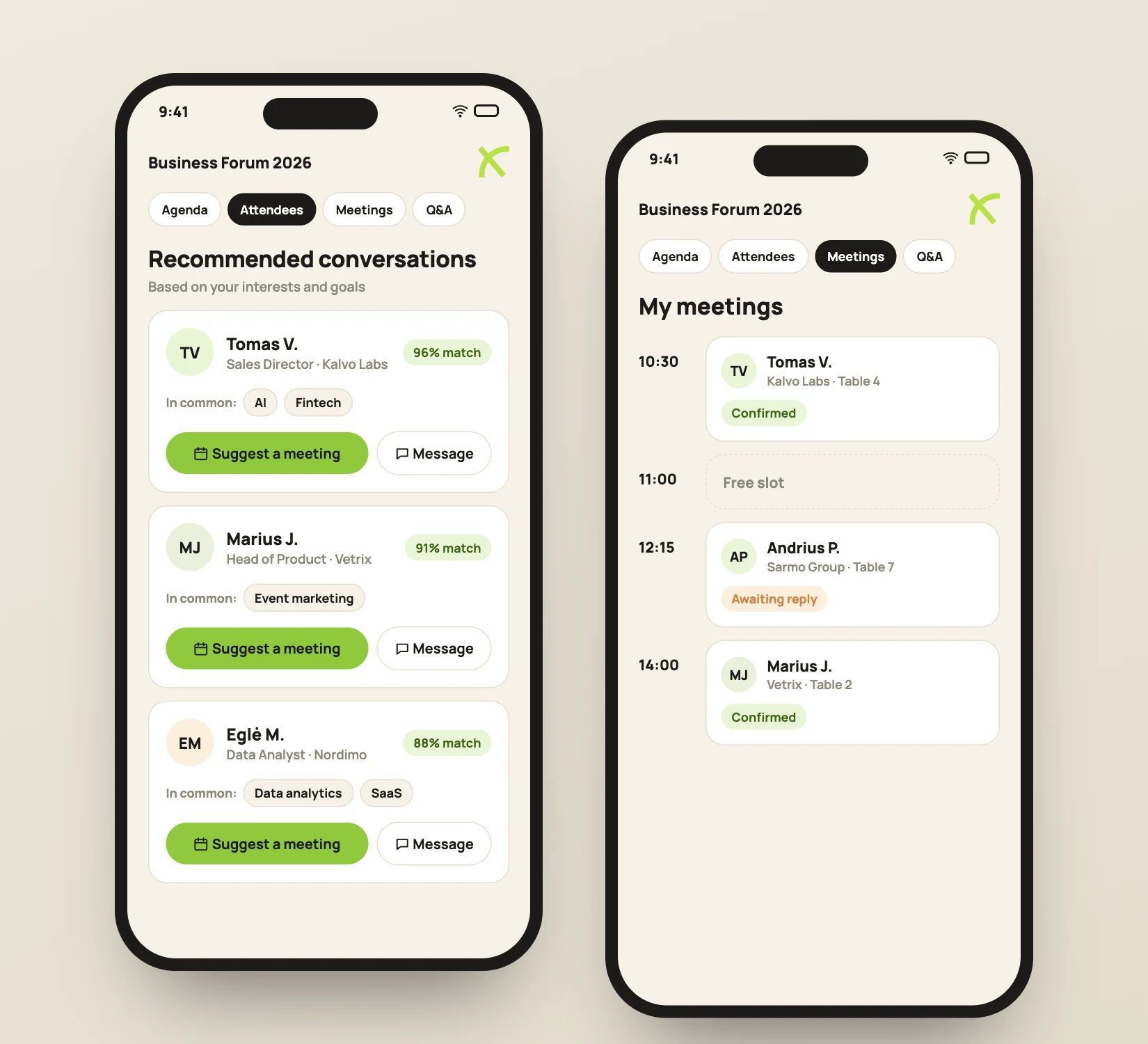
The system suggests who is worth meeting. The attendee sends a message and agrees on a meeting time.
04
Contacts stay
After the event all contacts stay in the attendee’s account. You see the networking stats.
1
account per attendee
0
apps to install
4
features in one place
Event networking app
Features
Attendee list and search
See who is attending. Search by company, job title or interests.
Messages and meetings
Attendees message each other and plan meetings during or before the event.
AI recommendations
The system matches attendees by shared interests and goals.
Q&A and polls
Questions for speakers and polls during sessions, in the same account.
Digital business card
Scan the QR on a badge and the contact is saved instantly.
Organiser stats
How many attendees joined, how many meetings happened, which topics were most popular.
FAQ
Frequently asked questions
Do attendees need to download an app?
No. Networking runs in the browser via the link in the invitation email. Ticket and networking are in one place.
How do AI recommendations work?
Attendees mark their interests and goals, for example looking for partners or investors. The system suggests people with matching interests.
Can networking be used without kiosks and badges?
Yes. Networking works with any package, but pays off most with the full event.
Who can see an attendee's profile?
Only attendees of the same event. Each attendee chooses whether to take part in networking.
Read next
Let's look at your event.
Tell us the date, attendee count and venue. We send a quote within one business day.